

What’s new in TenderToLive
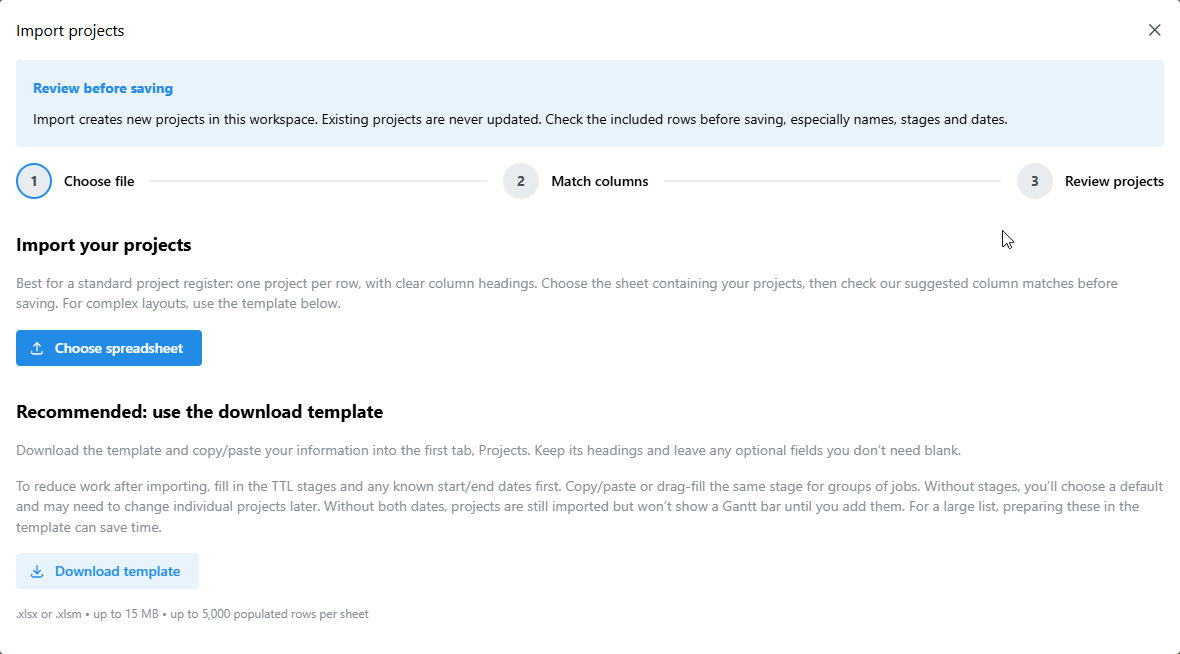
Import your existing Excel register, explore projects through preset views and timelines, and keep key files, contacts and notes close to each project.
October 2026 product update
Excel Import + Export
Bring your existing Excel register into TenderToLive without retyping every job, then export all projects or your current filtered list when needed.
Preset + Custom Views
Start with useful preset views, then create your own using the columns, filters, sorting, zoom and timescale that suit your team.
More Project Context
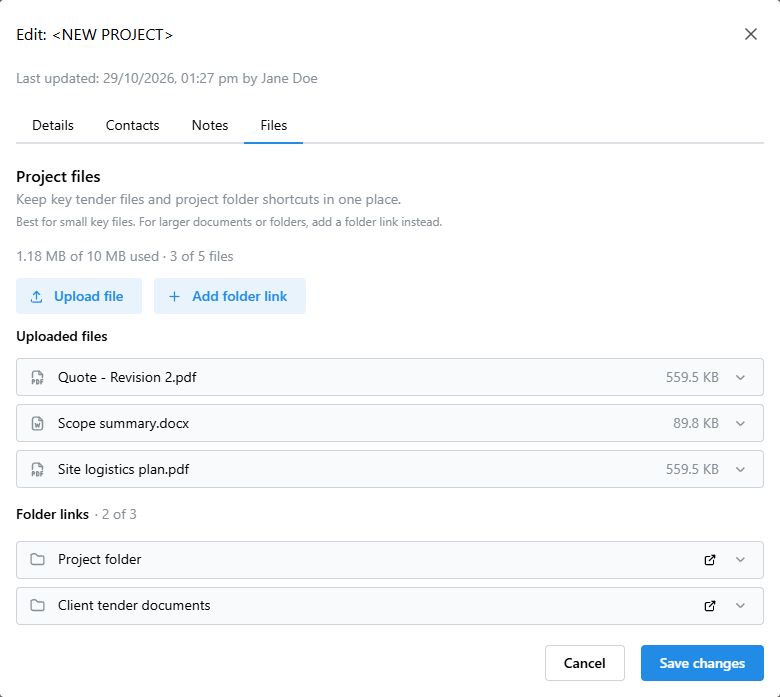
Keep contacts, notes, key files and cloud-folder shortcuts alongside each project, so important tender information stays easier to find.
More ways to work with your projects
Project Files
Keep key quotes, estimates, logistics plans and other important files with the project, with folder links for larger document sets.
Quantities + Key Dates
Track quantities, units and tender milestone dates alongside the rest of your project information.
Sample Projects
Create sample projects to explore TenderToLive with realistic dates, quantities, contacts and notes before adding your own projects.
Update Visibility
See when project information was last updated and who made the latest change.
TenderToLive continues to evolve with practical improvements shaped by industry feedback.
Contacts + Notes
Keep project contacts, working notes and follow-up context with the job so key information is easier to find.
Everyday Improvements
Clearer controls, improved saved-view organisation, smoother split views, better date alignment and improved handling of larger project lists.
See what’s new in action
Take a closer look at the latest improvements and see how TenderToLive could fit your existing tender register and workflow.